Logistic回归
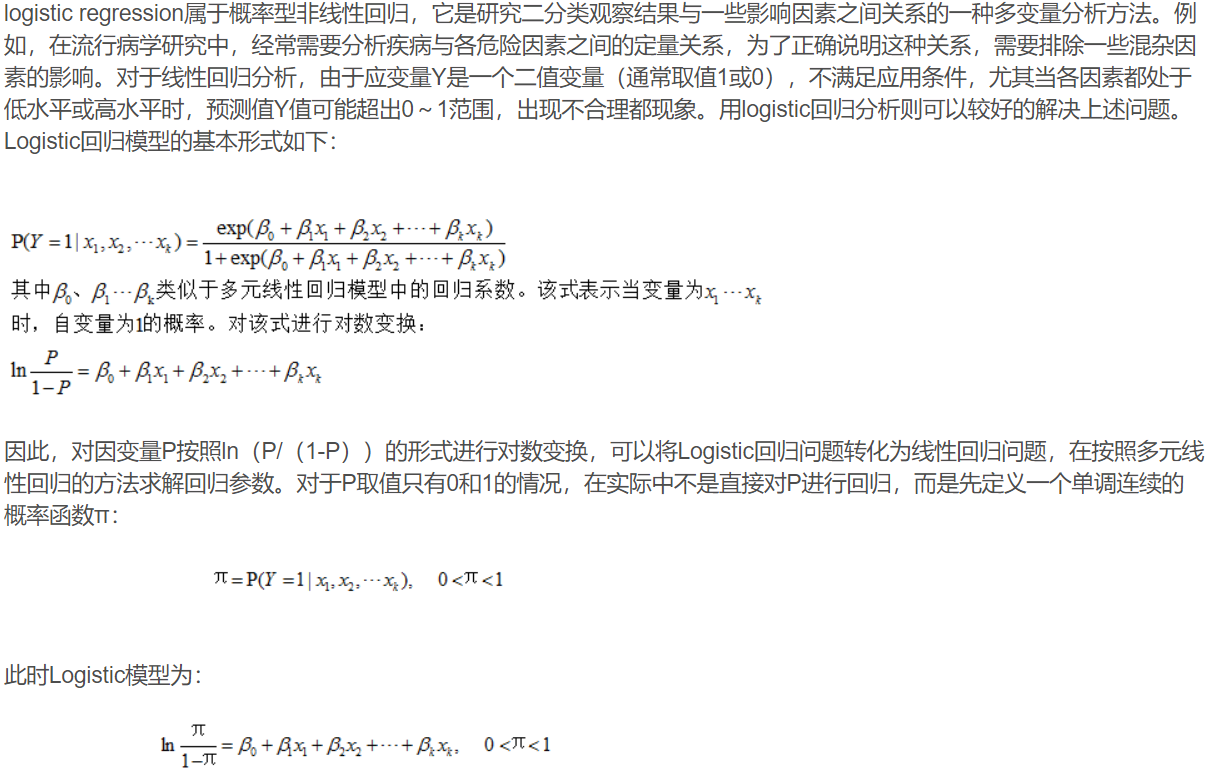
这个地方运用一个实例:
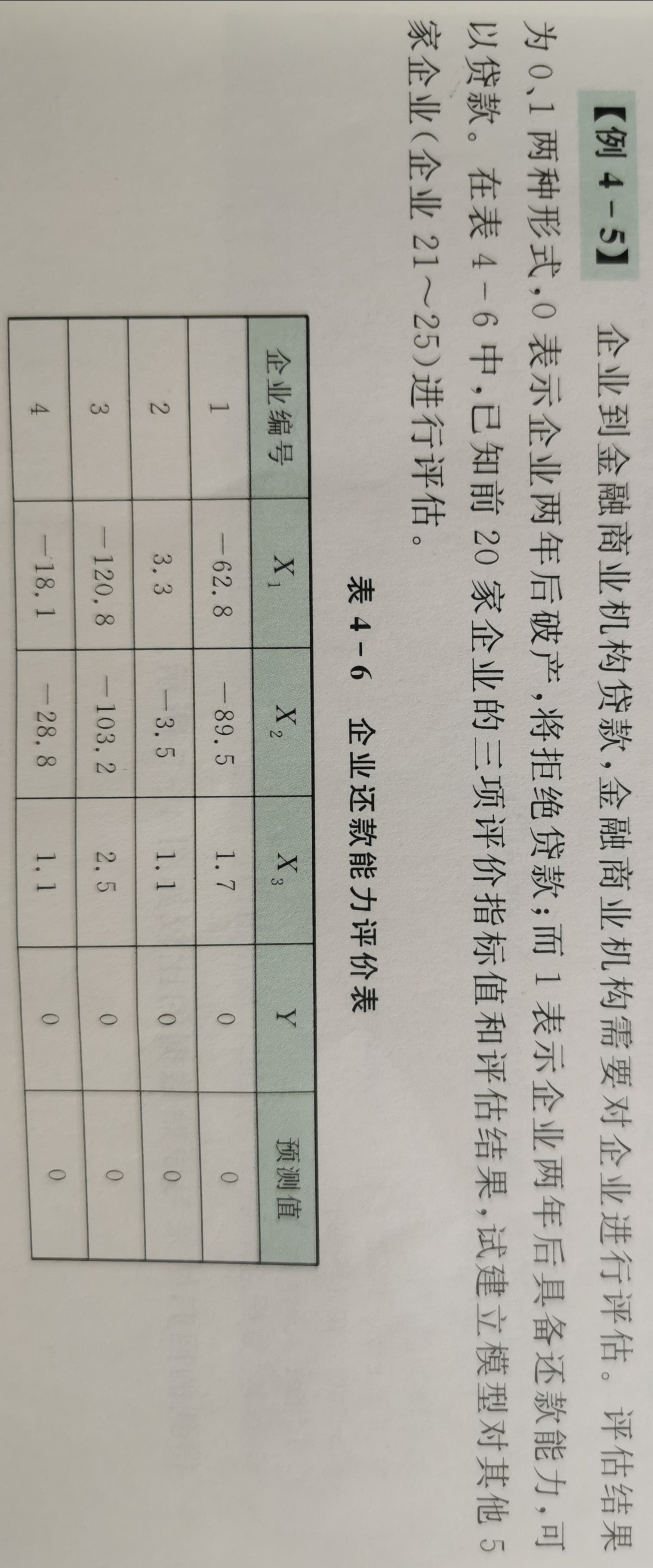
x0 = xlsread('C:\Users\86135\Desktop\MATLAB学习\Cha4\E4_5\logistic_ex1.xlsx','A2:C21');
y0 = xlsread('C:\Users\86135\Desktop\MATLAB学习\Cha4\E4_5\logistic_ex1.xlsx','D2:D21');
x1 = xlsread('C:\Users\86135\Desktop\MATLAB学习\Cha4\E4_5\logistic_ex1.xlsx','A2:C26');
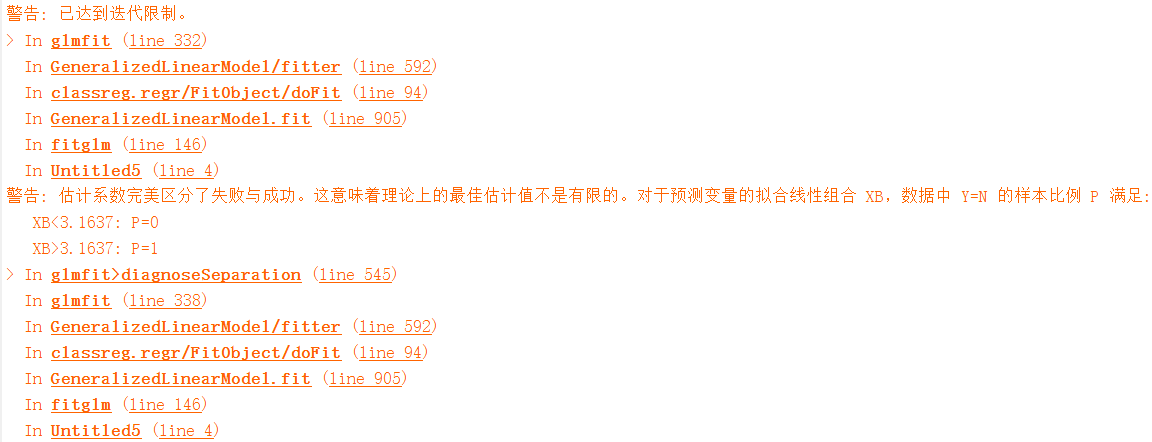
GM = fitglm(x0,y0,'Distribution','binomial');
y1 = predict(GM,x1);
N0 = 1:size(y0,1);
N1 = 1:size(y1,1);
plot(N0',y0,'-kd');
hold on;
scatter(N1',y1,'b');
xlabel('数据点编号');
ylabel('输出值');
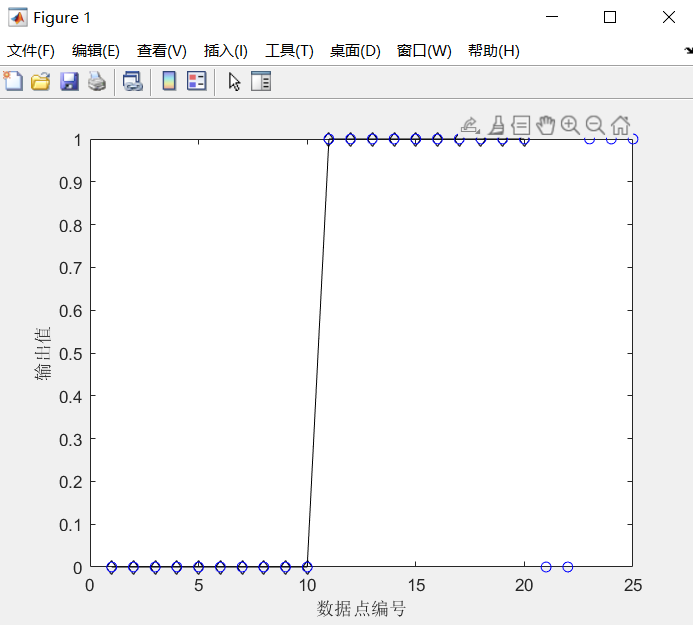
输出结果如图:
关于逻辑回归一个比较好的文章:
https://fighterhit.oschina.io/2017/12/24/machine_learning_notes/从广义线性模型理解逻辑回归/
至此,关于回归的一些方法就介绍完了。
本文章使用limfx的vscode插件快速发布