to_workspace模块的实现
to_workspace
实现
该模块的作用是将变量写入工作区,师兄的设计文档写的很详细,看着做就行。主要参考了scope模块。
测试
文档举的例子中保存的data为二维数组,每行第一个元素表示时间,后边是数据
[
 [0.0, 1.1, 2.2],
 [0.01, 3.3, 4.4]
 ]
测试的数据也按照这样,搞了两个step通过mux再连接到to_workspace上
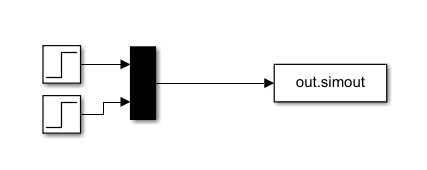 在simulink中运行之后,工作区出现了out,类型是SimulationOutput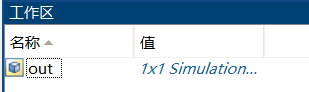
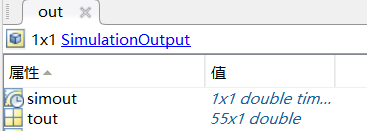
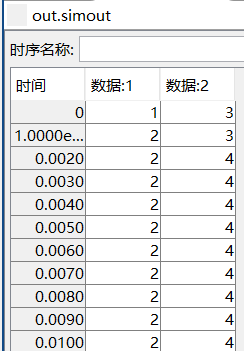
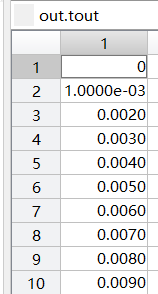
在dssim中构建与simulink相同的系统进行测试
def test_to_workspace():
 engine = Engine(outer_ns=globals())
 model = engine.create_model()
 engine.set_primary_model(model)

 step1 = model.create_system("sources.step")
 step1.set_parameter('initial_value',1)
 step1.set_parameter('final_value',2)
 step1.set_parameter('step_time',0.001)   #step1 0.001s: 1->2
 step2 = model.create_system("sources.step")
 step2.set_parameter('initial_value',3)
 step2.set_parameter('final_value',4)
 step2.set_parameter('step_time',0.002)  #step2 0.002s: 3->4
 mux = model.create_system("signal_routing.mux")
 mux.set_custom_input_port_width([-1,-1])
 to_workspace = model.create_system("sinks.to_workspace")
 model.link_system(step1, "output", mux, "IP0")
 model.link_system(step2, "output", mux, "IP1")
 model.link_system(mux, "output", to_workspace, "input")
 engine.simulate()

 print("data : ", globals()["simout"].output)
 print("shape : ",globals()["simout"].output.shape)
 print("t : ", globals()["simout"].tout)
结果为
(dssim_test) PS E:\DSSim\dssim_core\test\test_library> python .\test_sinks.py
 data :  [[0.000e+00 1.000e+00 3.000e+00]
 [1.000e-03 2.000e+00 3.000e+00]
 [2.000e-03 2.000e+00 4.000e+00]
  ...
 [9.998e+00 2.000e+00 4.000e+00]
 [9.999e+00 2.000e+00 4.000e+00]
 [1.000e+01 2.000e+00 4.000e+00]]
 shape :  (10001, 3)
 t :  [0.000e+00 1.000e-03 2.000e-03 ... 9.998e+00 9.999e+00 1.000e+01]
测试了几个assert也通过了
 assert "simout" in globals()
 assert globals()["simout"].output.shape[1] == 3
 assert globals()["simout"].output[:,0].all() == globals()["simout"].tout.all()
本文章使用limfx的vscode插件快速发布